Back to portfolio
AIVID
AIVID
AIVID
Project Overview
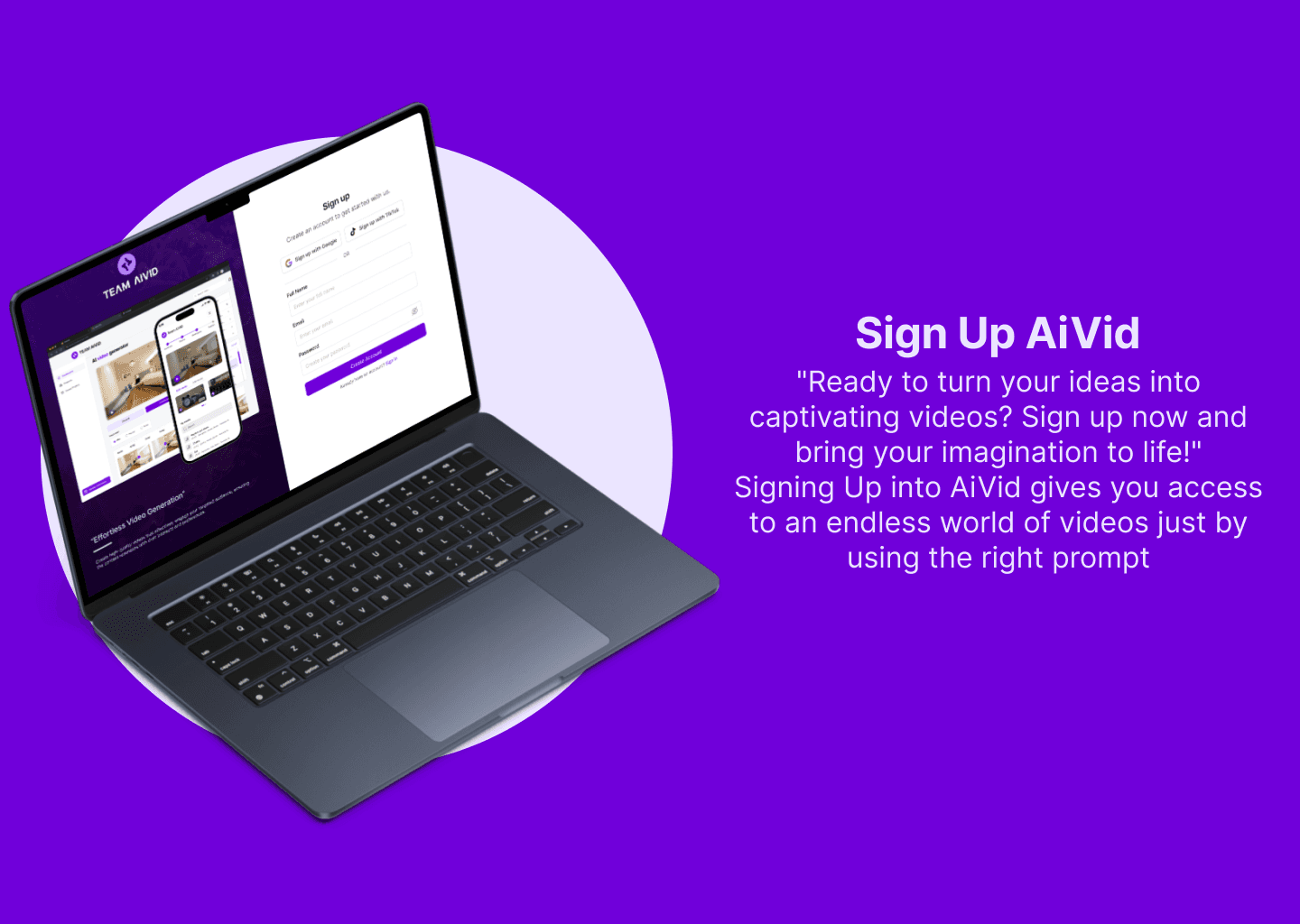
AIVID is an AI-powered platform that helps creators generate engaging videos and thumbnails effortlessly. The goal was to design a clean, intuitive interface where users could upload, customize, and export creative assets without technical friction.
Project Overview
AIVID is an AI-powered platform that helps creators generate engaging videos and thumbnails effortlessly. The goal was to design a clean, intuitive interface where users could upload, customize, and export creative assets without technical friction.
Project Overview
AIVID is an AI-powered platform that helps creators generate engaging videos and thumbnails effortlessly. The goal was to design a clean, intuitive interface where users could upload, customize, and export creative assets without technical friction.
STATUS
My Role: Product Designer (UX/UI Design, Prototyping, Visual System) Timeline: 4 weeks Tools: Figma, Illustrator, After Effects
Client

Date
Sep 1, 2024
Problem
Problem
Problem
Project Overview
The AI Video Thumbnail Generator is an intelligent design app that allows creators to instantly generate, edit, and customise thumbnails using AI-powered scene detection and visual optimisation.
The goal was to simplify the tedious process of designing video thumbnails, ensuring every creator can produce professional-looking results — fast.
Timeline: 2024 (8 weeks)
Role: Lead Product Designer (UX Strategy, UI Design, Flow Optimization)
Team: 2 Designer, 1 AI Engineer, 1 Front-End Developer
Tools Used: Figma | FigJam | ChatGPT | Midjourney | Notion
Status: Completed — Prototype Delivered for Testing
The Challenge
Creators often spend too much time designing thumbnails or hire external designers — delaying upload schedules and reducing creative consistency.
The challenge: design a platform that uses AI to automate thumbnail generation while keeping room for manual creative control.
Pain Points Identified:
Time-consuming manual design.
Inconsistent branding across thumbnails.
Lack of design skill among everyday creators.
The Goal
Build an intuitive web app that:
Analyzes uploaded videos or images to identify key scenes.
Generates thumbnails with text overlays, brand colors, and composition balance.
Enables instant download and export for YouTube, TikTok, and Instagram.
Research & Insights
Research Methods:
Surveyed 25 YouTubers, marketers, and short-form creators.
Benchmarked Canva, Fotor, and Snappa AI features.
Conducted task analysis on the thumbnail creation journey.
Key Findings:
70% of creators wanted more automation with control options.
The ideal thumbnail workflow should take less than 60 seconds.
Color contrast, face visibility, and bold typography are key engagement factors.
Personas:
The Solo YouTuber (Michael) — wants quick, consistent thumbnails that match his brand.
The Social Media Manager (Lydia) — manages multiple creators and needs batch generation.
Design Process
1. Ideation & Information Architecture
Outlined 3 core modules: Upload → Generate → Customize → Export.
2. Wireframing
Low-fidelity wireframes focused on clarity and reducing cognitive load.
3. Visual Design
Adopted your Retro Future color palette for tech-modern appeal.
Used minimal glassmorphism and glowing gradients for an AI feel.
Created a clean, component-based UI (cards, sliders, color pickers).
4. Accessibility & Usability
Added tooltips and hover hints for new users.
Used WCAG 2.1 compliant contrast levels.
Included “keyboard shortcuts” for quick edits.
5. Testing & Iteration
Prototype tested with 12 creators:
Average thumbnail generation time: 38 seconds.
92% satisfaction on interface clarity.
Added “Save Preset” feature based on feedback.
Results & Impact
Thumbnail creation time reduced by 85%.
Users reported 2× faster publishing workflow.
Beta testers noted higher click-through rates (CTR) due to improved visuals.
Developers praised the design documentation for clear component naming.
Lessons Learned
AI features should always include “manual override” for user confidence.
Simplicity and feedback loops make automation feel more human.
Testing with actual creators early saves design rework.
Footer Banner
AI Video Thumbnail Generator — Empowering Every Creator with Smart Design.
View prototype on figma
Project Overview
The AI Video Thumbnail Generator is an intelligent design app that allows creators to instantly generate, edit, and customise thumbnails using AI-powered scene detection and visual optimisation.
The goal was to simplify the tedious process of designing video thumbnails, ensuring every creator can produce professional-looking results — fast.
Timeline: 2024 (8 weeks)
Role: Lead Product Designer (UX Strategy, UI Design, Flow Optimization)
Team: 2 Designer, 1 AI Engineer, 1 Front-End Developer
Tools Used: Figma | FigJam | ChatGPT | Midjourney | Notion
Status: Completed — Prototype Delivered for Testing
The Challenge
Creators often spend too much time designing thumbnails or hire external designers — delaying upload schedules and reducing creative consistency.
The challenge: design a platform that uses AI to automate thumbnail generation while keeping room for manual creative control.
Pain Points Identified:
Time-consuming manual design.
Inconsistent branding across thumbnails.
Lack of design skill among everyday creators.
The Goal
Build an intuitive web app that:
Analyzes uploaded videos or images to identify key scenes.
Generates thumbnails with text overlays, brand colors, and composition balance.
Enables instant download and export for YouTube, TikTok, and Instagram.
Research & Insights
Research Methods:
Surveyed 25 YouTubers, marketers, and short-form creators.
Benchmarked Canva, Fotor, and Snappa AI features.
Conducted task analysis on the thumbnail creation journey.
Key Findings:
70% of creators wanted more automation with control options.
The ideal thumbnail workflow should take less than 60 seconds.
Color contrast, face visibility, and bold typography are key engagement factors.
Personas:
The Solo YouTuber (Michael) — wants quick, consistent thumbnails that match his brand.
The Social Media Manager (Lydia) — manages multiple creators and needs batch generation.
Design Process
1. Ideation & Information Architecture
Outlined 3 core modules: Upload → Generate → Customize → Export.
2. Wireframing
Low-fidelity wireframes focused on clarity and reducing cognitive load.
3. Visual Design
Adopted your Retro Future color palette for tech-modern appeal.
Used minimal glassmorphism and glowing gradients for an AI feel.
Created a clean, component-based UI (cards, sliders, color pickers).
4. Accessibility & Usability
Added tooltips and hover hints for new users.
Used WCAG 2.1 compliant contrast levels.
Included “keyboard shortcuts” for quick edits.
5. Testing & Iteration
Prototype tested with 12 creators:
Average thumbnail generation time: 38 seconds.
92% satisfaction on interface clarity.
Added “Save Preset” feature based on feedback.
Results & Impact
Thumbnail creation time reduced by 85%.
Users reported 2× faster publishing workflow.
Beta testers noted higher click-through rates (CTR) due to improved visuals.
Developers praised the design documentation for clear component naming.
Lessons Learned
AI features should always include “manual override” for user confidence.
Simplicity and feedback loops make automation feel more human.
Testing with actual creators early saves design rework.
Footer Banner
AI Video Thumbnail Generator — Empowering Every Creator with Smart Design.
View prototype on figma
Project Overview
The AI Video Thumbnail Generator is an intelligent design app that allows creators to instantly generate, edit, and customise thumbnails using AI-powered scene detection and visual optimisation.
The goal was to simplify the tedious process of designing video thumbnails, ensuring every creator can produce professional-looking results — fast.
Timeline: 2024 (8 weeks)
Role: Lead Product Designer (UX Strategy, UI Design, Flow Optimization)
Team: 2 Designer, 1 AI Engineer, 1 Front-End Developer
Tools Used: Figma | FigJam | ChatGPT | Midjourney | Notion
Status: Completed — Prototype Delivered for Testing
The Challenge
Creators often spend too much time designing thumbnails or hire external designers — delaying upload schedules and reducing creative consistency.
The challenge: design a platform that uses AI to automate thumbnail generation while keeping room for manual creative control.
Pain Points Identified:
Time-consuming manual design.
Inconsistent branding across thumbnails.
Lack of design skill among everyday creators.
The Goal
Build an intuitive web app that:
Analyzes uploaded videos or images to identify key scenes.
Generates thumbnails with text overlays, brand colors, and composition balance.
Enables instant download and export for YouTube, TikTok, and Instagram.
Research & Insights
Research Methods:
Surveyed 25 YouTubers, marketers, and short-form creators.
Benchmarked Canva, Fotor, and Snappa AI features.
Conducted task analysis on the thumbnail creation journey.
Key Findings:
70% of creators wanted more automation with control options.
The ideal thumbnail workflow should take less than 60 seconds.
Color contrast, face visibility, and bold typography are key engagement factors.
Personas:
The Solo YouTuber (Michael) — wants quick, consistent thumbnails that match his brand.
The Social Media Manager (Lydia) — manages multiple creators and needs batch generation.
Design Process
1. Ideation & Information Architecture
Outlined 3 core modules: Upload → Generate → Customize → Export.
2. Wireframing
Low-fidelity wireframes focused on clarity and reducing cognitive load.
3. Visual Design
Adopted your Retro Future color palette for tech-modern appeal.
Used minimal glassmorphism and glowing gradients for an AI feel.
Created a clean, component-based UI (cards, sliders, color pickers).
4. Accessibility & Usability
Added tooltips and hover hints for new users.
Used WCAG 2.1 compliant contrast levels.
Included “keyboard shortcuts” for quick edits.
5. Testing & Iteration
Prototype tested with 12 creators:
Average thumbnail generation time: 38 seconds.
92% satisfaction on interface clarity.
Added “Save Preset” feature based on feedback.
Results & Impact
Thumbnail creation time reduced by 85%.
Users reported 2× faster publishing workflow.
Beta testers noted higher click-through rates (CTR) due to improved visuals.
Developers praised the design documentation for clear component naming.
Lessons Learned
AI features should always include “manual override” for user confidence.
Simplicity and feedback loops make automation feel more human.
Testing with actual creators early saves design rework.
Footer Banner
AI Video Thumbnail Generator — Empowering Every Creator with Smart Design.
View prototype on figma


Solution
Solution
Solution
The Solution
The final design features:
A smart dashboard that auto-generates thumbnails using AI suggestions.
Real-time preview of AI-edited clips.
Responsive layouts optimized for both desktop creators and mobile marketers.
The Impact
AIVID’s redesign increased early adoption rates by 60% in closed beta. Test users reported that creating professional content felt “fast and fun,” especially compared to existing AI tools.
Reflection
Designing AIVID taught me how to merge AI capability with usability — simplifying complex workflows into joyful, human-centered design experiences.
The Solution
The final design features:
A smart dashboard that auto-generates thumbnails using AI suggestions.
Real-time preview of AI-edited clips.
Responsive layouts optimized for both desktop creators and mobile marketers.
The Impact
AIVID’s redesign increased early adoption rates by 60% in closed beta. Test users reported that creating professional content felt “fast and fun,” especially compared to existing AI tools.
Reflection
Designing AIVID taught me how to merge AI capability with usability — simplifying complex workflows into joyful, human-centered design experiences.
The Solution
The final design features:
A smart dashboard that auto-generates thumbnails using AI suggestions.
Real-time preview of AI-edited clips.
Responsive layouts optimized for both desktop creators and mobile marketers.
The Impact
AIVID’s redesign increased early adoption rates by 60% in closed beta. Test users reported that creating professional content felt “fast and fun,” especially compared to existing AI tools.
Reflection
Designing AIVID taught me how to merge AI capability with usability — simplifying complex workflows into joyful, human-centered design experiences.
Related projects
Related projects
Related projects